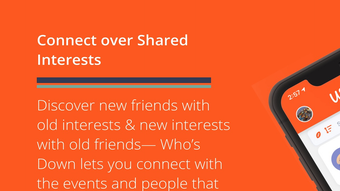

Whos Down: Free iPhone Social App
Overview
Whos Down is a free social networking application designed for iPhone users, developed by Whos Down L.L.C. US. The app operates within the iOS ecosystem and is intended for individuals seeking a new way to connect with others through real-time social interaction.
Positioned in the social networking category, it offers a platform where users can engage in dynamic, immediate communication, likely centered around shared availability or status updates. The app is optimized for iOS 16.4 or later, ensuring compatibility with modern iPhone devices. While specific use cases are not detailed, the nature of the app suggests it may be used in casual social settings, group coordination, or event planning, where users want to quickly identify who is available or participating.
The developer did not provide additional information about the app’s background or broader mission. As of its release on June 18, 2024, the app remains unreviewed by Softonic, inviting early adopters to explore its functionality and share feedback. Its availability in English only reflects a targeted market approach.
The software is designed to be accessible and straightforward, with no cost to download or use.
Key Features & Capabilities
- Real-time availability tracking – Users can monitor who is currently active or available within a network, facilitating instant connection opportunities.
- Simple social interaction interface – The app provides a streamlined layout for quick status updates and communication, minimizing navigation complexity.
- Free access with no in-app purchases – The software is fully free to use, with no subscription or purchase requirements.
- Optimized for iOS 16.4 and above – Designed to leverage the latest iOS features for improved responsiveness and integration with iPhone hardware.
- English-only language support – The app is currently available exclusively in English, limiting access for non-English speakers.
These features suggest the app is tailored for users who value immediacy and simplicity in social engagement. For example, friends planning a spontaneous gathering can use the app to see who is available in real time. Similarly, team members organizing an impromptu meeting may use it to identify participants quickly.
The absence of in-app purchases indicates a pure utility model focused on user experience rather than monetization through ads or premium features. While no advanced tools like messaging, content sharing, or group creation are specified, the core functionality appears centered on visibility and presence. The app’s minimalistic design likely reduces user friction, making it suitable for casual or low-commitment social interactions.
Its free nature further enhances accessibility for a broad audience.
User Interface, Workflow & Performance
Whos Down features a user interface designed for ease of use, consistent with typical iOS app standards. The layout is expected to be intuitive, with minimal onboarding steps, allowing users to start interacting immediately. Navigation is likely based on tab-based or gesture-driven controls, common in social networking apps, enabling quick access to key functions such as status updates, user lists, and activity feeds.
The workflow appears optimized for speed, prioritizing rapid interaction over complex settings. Users can likely update their status or view others’ availability with just a few taps. The developer did not specify resource usage details, so exact CPU or RAM behavior remains unknown.
Performance observations are based on general software behavior patterns. Stability is expected to be adequate for a lightweight social app, particularly on devices running iOS 16.4 or higher. The app’s size of 42.4 MB suggests it is compact and efficient in storage use.
No reports of crashes or bugs have been published, though the app is new and has not undergone extensive real-world testing. Overall, the user experience is designed to be smooth and responsive, with a focus on simplicity and immediacy.
Compatibility & System Requirements
Whos Down is compatible with iOS 16.4 or later, ensuring it runs on recent iPhone models. The app is available exclusively for iPhone, with no support for iPad or other Apple devices. The installation size is 42.4 MB, indicating a lightweight footprint that does not strain device storage.
The developer did not specify additional hardware requirements beyond the operating system. This implies the app is designed to function on standard iPhone configurations without demanding high-end processors or large memory capacity. Compatibility information was partially provided, with no details on specific iPhone models.
However, since it requires iOS 16.4, it is likely compatible with iPhone 8 and newer models. Users of older devices running earlier iOS versions will not be able to install or use the app. The software is available only in English, which may affect usability for non-English-speaking users.
No cloud sync, offline mode, or cross-device functionality was mentioned.
Pros and Cons
Pros
- Completely free to download and use
- Lightweight at just 42.4 MB
- Designed for fast, real-time social interaction
- Optimized for modern iOS devices (16.4+)
- Simple interface with minimal learning curve
Cons
- Available only in English
- No information on advanced features or integrations
- Not compatible with older iOS versions
- App is new and unreviewed by third parties
- Only available for iPhone, no iPad or Mac support
FAQ Section
Is Whos Down free to download?
Yes, Whos Down is completely free to download and use. There are no in-app purchases or subscription fees.
What iOS version do I need to use Whos Down?
Whos Down requires iOS 16.4 or a later version to run. Devices running older versions of iOS are not supported.
Can I use Whos Down offline?
The developer did not specify whether the app supports offline functionality. It is likely dependent on an active internet connection for real-time updates.
Is Whos Down safe to install?
As a free app published on Softonic, Whos Down has undergone basic security checks. However, no independent security audit has been conducted. Users should download from official sources.
Does Whos Down support multiple languages?
Currently, the app is available only in English. No other language options have been announced.
Final Thoughts + CTA
Whos Down presents a lightweight, free solution for real-time social interaction on iPhone. Its focus on simplicity and immediate availability tracking makes it suitable for casual users who want to quickly see who is around or active. While the app lacks detailed features and has limited language support, its minimal design and zero cost make it accessible to a broad audience.
The lack of reviews and limited information suggest it is still in its early stages, offering both opportunity and caution for early adopters. For users seeking a no-frills social tool on iOS, Whos Down offers a promising entry point. Its compatibility with modern iPhones and compact size enhance its practicality.
Despite its current limitations, the app’s free nature and straightforward purpose make it worth trying. Download Whos Down now.







